

Managing projects directly from your WordPress dashboard can drastically improve your workflow and team collaboration. Whether you’re a freelancer, agency, or corporate team, a WordPress project management plugin can turn your site into a powerful task manager and productivity hub.
In this article, we highlight the 8 best WordPress project management plugins in 2025 — perfect for teams looking to streamline tasks, manage timelines, and boost efficiency without relying on third-party platforms.
1. SportsPress

SportsPress, a WordPress project management plugin for sports teams
Plugin Stats:
-
Downloads: 20,000+
-
Rating: 4.8/5
-
Notable features: Team profile, player management, event scheduling
-
Best suited for: Sports team managers
SportsPress is one of the most robust task managers tailored for sports teams. It transforms your WordPress site into a complete league or club management platform.
Key features include match scheduling, league tables, player statistics, and customizable team profiles. You can also display upcoming events with countdowns and integrate Google Maps for venue directions.
The Pro version starts at $99/year, offering advanced features like automated scoreboards, detailed analytics, and styling options — all essential for serious sports organizations.
2. WP Project Manager

WP Project Manager, a versatile all-in-one task manager plugin
Plugin Stats:
-
Downloads: 60,000+
-
Rating: 4.4/5
-
Notable features: Kanban boards, Gantt charts, time tracking
-
Best suited for: Small to medium businesses, freelancers
WP Project Manager is an industry favorite for task and project management. It offers Kanban boards, Gantt charts, and milestone tracking, making it a complete productivity suite.
With features like role-based permissions, built-in messaging, and file sharing, it enhances team communication. Premium plans (starting at $79/year) unlock advanced tools such as time tracking, invoice generation, and integration with tools like Slack and WooCommerce.
3. Zephyr Project Manager

Zephyr, a sleek and modern task manager for WordPress
Plugin Stats:
-
Downloads: 12,000+
-
Rating: 4.7/5
-
Notable features: Task assignments, file uploads, calendar view
-
Best suited for: Teams needing a clean interface
Zephyr is a lightweight but powerful plugin that brings project and task management to your WordPress site without bloat. You can assign tasks, set due dates, add comments, and upload files.
The premium version includes features like team collaboration, detailed reports, and advanced task filters. It’s perfect for internal company teams looking for a simple, distraction-free workspace.
4. UpStream
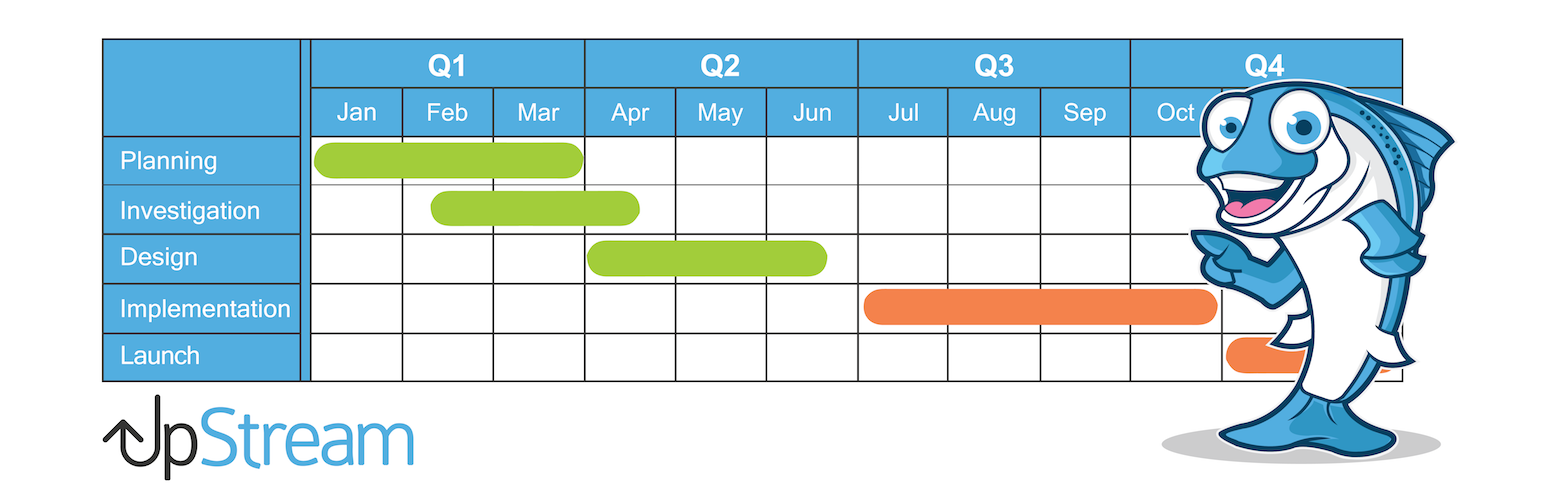
UpStream, a client-friendly WordPress project management solution
Plugin Stats:
-
Downloads: 10,000+
-
Rating: 4.5/5
-
Notable features: Client access, custom fields, bug tracking
-
Best suited for: Web development agencies
UpStream is tailored for agencies that need to manage projects with client input. It allows clients to log in and see the progress, tasks, and milestones related to their projects.
Its robust set of extensions — including calendars, custom statuses, and front-end project views — make it highly customizable. Premium pricing starts at $79/year with access to all extensions.
5. Airtable WP Integration by WPConnect
Airtable-powered task management within WordPress
Plugin Stats:
-
Downloads: 8,000+
-
Rating: 4.8/5
-
Notable features: Airtable sync, project table views
-
Best suited for: Teams using Airtable
This plugin allows WordPress to sync with Airtable, making it a great choice for teams already using the Airtable platform for project tracking. You can embed Airtable views directly in WordPress and manage tasks collaboratively across both platforms.
With full two-way sync and field mapping, it turns your WordPress dashboard into a central project hub without losing Airtable’s power.
6. Panorama Lite
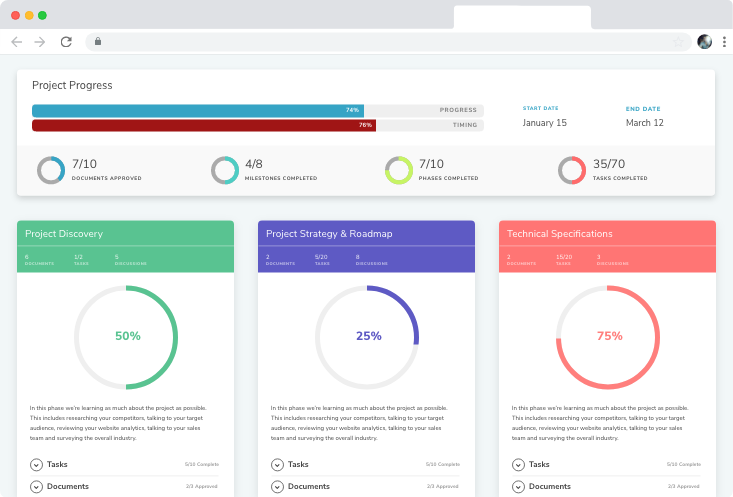
Panorama Lite, a free version of Project Panorama
Plugin Stats:
-
Downloads: 7,000+
-
Rating: 4.4/5
-
Notable features: Visual project tracking, client overviews
-
Best suited for: Beginners and freelancers
Panorama Lite brings basic project visualization tools for free. It’s a solid starting point for freelancers who want a more organized way of tracking deliverables and client feedback.
Although limited compared to the Pro version, it still offers milestones, task breakdowns, and percentage-based progress tracking.
7. Monday.com Integration by EmbedPress
Integrate Monday.com task boards directly into WordPress
Plugin Stats:
-
Downloads: 5,000+
-
Rating: 4.7/5
-
Notable features: Embed boards, live data view
-
Best suited for: Teams using Monday.com
If you already use Monday.com, this plugin makes it easy to embed and display your task boards within WordPress pages. You can manage projects and collaborate with your team without switching platforms.
EmbedPress enables responsive embeds with live updates, ideal for sharing task progress with clients or public teams.
8. CoSchedule

CoSchedule, the marketing-focused task manager
Plugin Stats:
-
Downloads: 20,000+
-
Rating: 4.3/5
-
Notable features: Editorial calendar, task scheduling, social sharing
-
Best suited for: Content marketers, bloggers
CoSchedule is more than a project manager — it’s a complete content marketing platform. With its editorial calendar, task assignment, and social media tools, you can manage your entire content pipeline inside WordPress.
Although it connects to its external SaaS dashboard, the native plugin makes integration seamless. Plans start at $29/month and are geared toward marketing teams needing a unified campaign overview.
Final Thoughts
Each of these WordPress project management plugins in 2025 brings something unique to the table — from visual task boards to client portals and sports team collaboration. Whether you’re managing a team, handling multiple clients, or streamlining your internal tasks, there’s a solution for every type of user.
For general-purpose project collaboration, WP Project Manager or Project Panorama are excellent. If you’re a content creator or marketing professional, CoSchedule or Kanban Boards might be your best bet.
Be sure to consider your team size, workflow complexity, and collaboration needs when choosing the perfect plugin.